Pantry inventory app with barcode scanner
What Is In My Pantry is a web and Android app that keeps track of the food and supplies in your home. Scan a product barcode to add it, scan again when you use it, and always know what you have, where it is stored and when it expires.
- Free 1-month trial
- Works on phone, tablet and PC
- Camera, Bluetooth and USB scanners
- Data stored in the EU
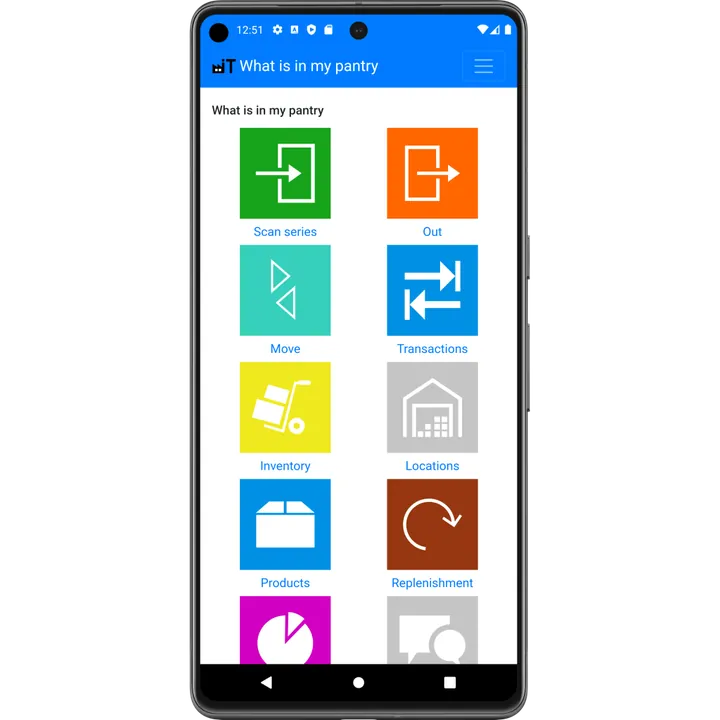
What you can do with the app
Add groceries by scanning
Scan the barcode after shopping. Name, brand and photo are filled in automatically from Open Food Facts.
See your stock at a glance
Search your whole inventory from the supermarket, so you never buy something you already have.

Track expiry dates
See what has expired, what expires next month and what has been on the shelf the longest.
Organise by location
Pantry, fridge, freezer, cellar or garage: know exactly where every item is stored.

Never run out
Set a minimum amount per product and get a list of everything that needs to be bought.

Move and count
Move items between locations and count your stock to keep the numbers right.

Cook with what you have
Turn your current stock into a ready-made ChatGPT prompt for dinner ideas with what you already have.

Any barcode scanner
Use your phone camera, a Bluetooth or USB scanner, or an industrial Android scanner.
How it works
- Create a free account at whatisinmypantry.com/app or install the Android app from Google Play.
- Add your storage locations, for example "Pantry", "Fridge" and "Freezer".
- Scan your groceries in. Press the green In button, pick a location and scan the barcode. Optionally add the expiry date.
- Scan items out when you use them. Your stock is always up to date, on every device.
Who is it for?
What Is In My Pantry is made for households that want to stop buying doubles and throwing food away, for people who stock up (bulk buying, emergency supplies, a well-filled freezer), and for small organisations such as clubs, canteens, food banks and small shops that need a simple stock system without an expensive warehouse package. Read more about using the app in an organisation.
Pricing
You can use every feature free for the first month. After that you choose the free Basic plan (add, remove and view stock, with ads) or Advanced for €10.00 per month or €110.00 per year (prices for the Netherlands, excluding VAT). Advanced adds multiple storage locations, moving stock, analytics, replenishment, multiple devices and no ads. See all plans and prices.
Screenshots
Main menu 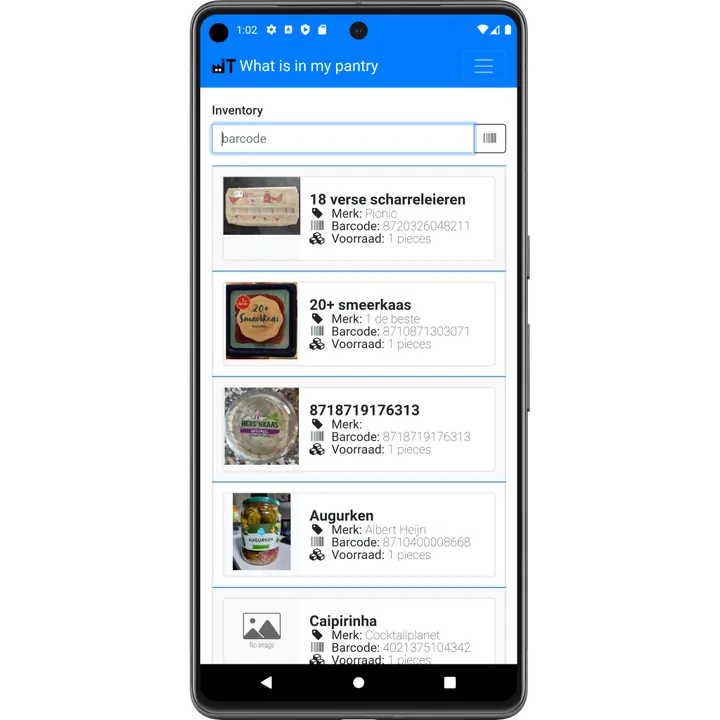
Inventory with product photos 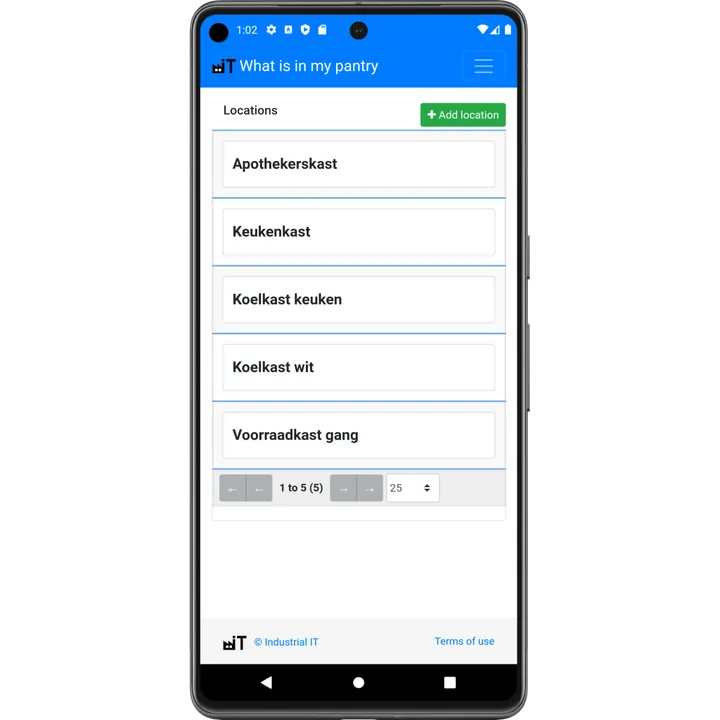
Storage locations 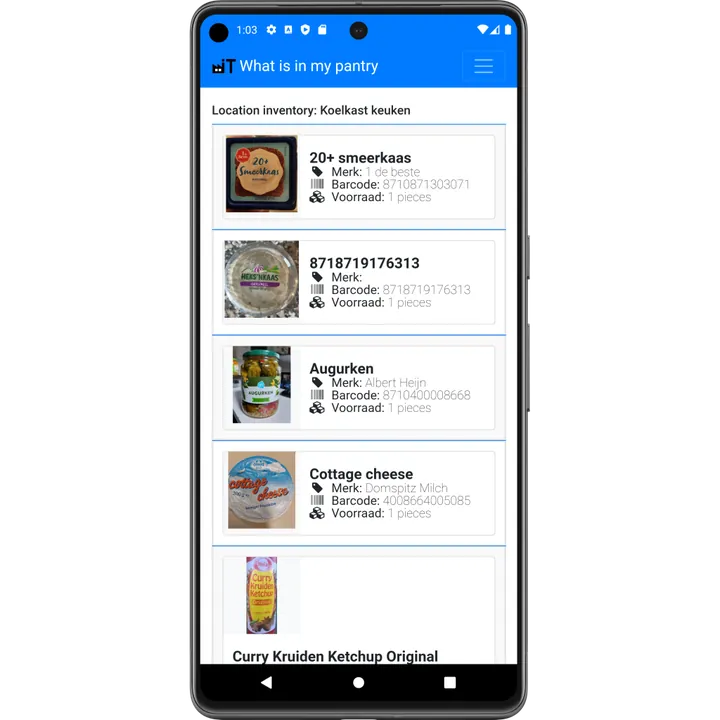
Stock per location 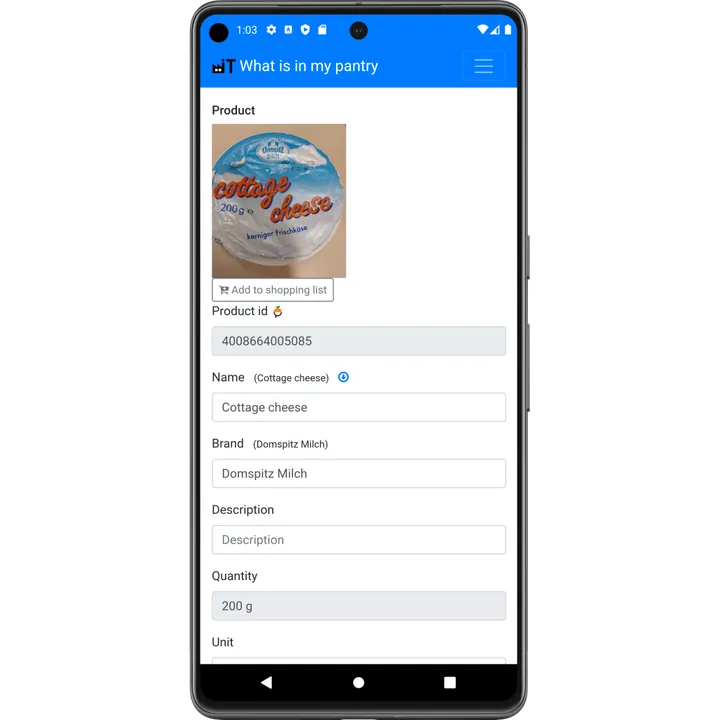
Product details 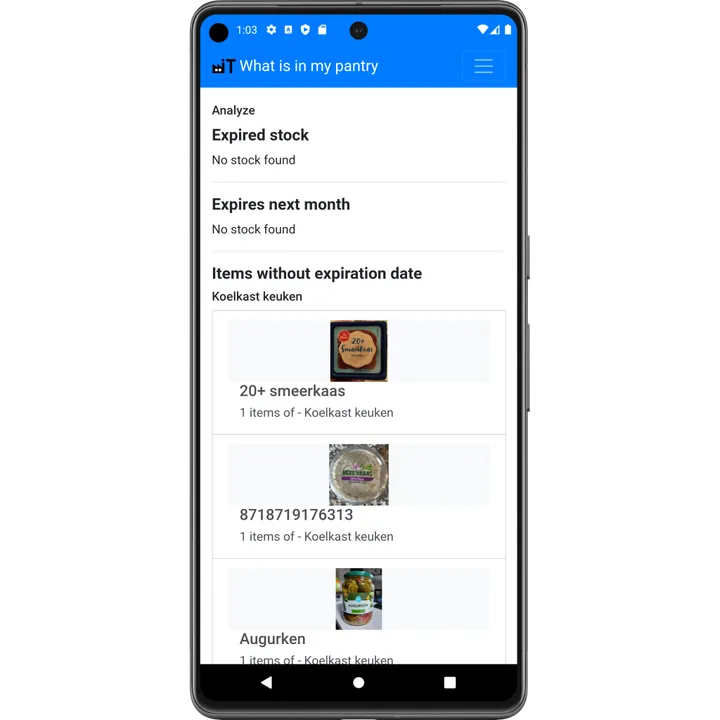
Expiry date analysis
Why keep a pantry inventory?
Most food waste at home happens because products are forgotten at the back of a cupboard or freezer. When you know exactly what you have and when it expires, you buy less, plan meals around what is already there and throw away less. A digital inventory also lets everyone in the household check the stock from their own phone, even while standing in the supermarket. Read our guide on how to reduce food waste with a pantry inventory, or compare a spreadsheet versus an app.
What Is In My Pantry is developed by Industrial IT, a Dutch software company that also builds barcode and warehouse software for businesses.
Frequently asked questions
Is What Is In My Pantry free?
Yes. Every feature is free for the first month. After that the Basic plan stays free (with ads), and Advanced costs €10.00 per month or €110.00 per year excluding VAT in the Netherlands.
Do I need a barcode scanner?
No. You can scan barcodes with the camera of your phone or tablet, or search products by name. A Bluetooth or USB scanner is faster if you scan a lot. Compare the options.
Is there an app for iPhone?
There is an Android app in Google Play. On iPhone, iPad and PC you use the web app in your browser at whatisinmypantry.com/app, which has the same features.
Where does the product information come from?
Product names, brands and photos come from Open Food Facts, a free and open food product database. You can always edit the details yourself.